Update: LMS integration
September 2, 2026
Particify can now be embedded into your learning management system. Teachers start Particify from within the course, and participants reach the right room with a single click. Interaction becomes part of the session itself instead of running alongside it. We have also rebuilt the administration area for Campus customers from the ground up.
Integration with Moodle, ILIAS and Stud.IP CampusEnterprise
At many institutions the learning management system is where teaching is organised: materials, dates, assignments and communication all live in the course. Particify used to sit next to it. Teachers opened a second tab; participants typed in a room code or scanned a QR code.
The new LMS integration removes that step. Particify is set up in the course once and is then available where teachers and participants already work.
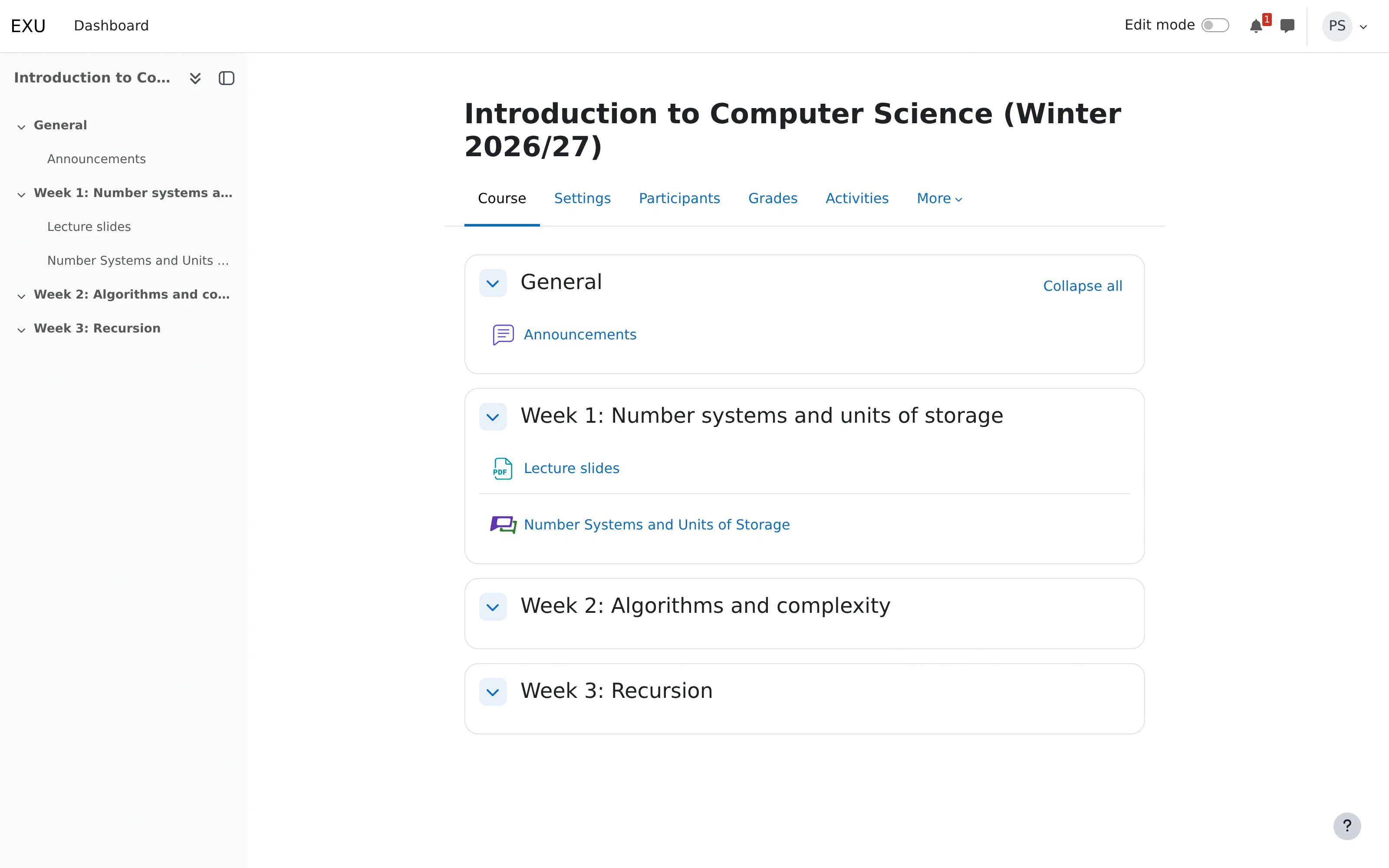
Embedded in the course
Particify is added to the course as an activity and opened from there. Signing in happens automatically through the LMS – a separate Particify account is no longer needed.
The room stays associated with the course and is available again in every session. Prepared question series, the Q&A and live feedback all persist, so content can be built up and reused across an entire semester.
One click to take part
For participants, one click in the course is enough. No room code, no URL, no registration. Anyone signed in to the course is signed in to Particify.
Anonymity towards teaching staff is unchanged: whoever writes a post in the Q&A or answers a question stays invisible to them. On launch, the LMS transmits a user identifier, a name and an email address – solely to match the person to their Particify account.
Setup and technical basis
The connection runs over LTI 1.3, the established standard for integrating external tools into learning management systems. We have tested it with Moodle, ILIAS and Stud.IP. In principle, any system that supports LTI 1.3 can be used.
Your system administration sets it up once. After that, teachers add Particify to their own courses without needing any further approvals.
You can find more detail and a setup guide on our LMS integration page.
Rebuilt administration area ProCampusEnterprise
We have given the administration a thorough overhaul. The management views have been rebuilt and streamlined, and the statistics extended with usage figures and time series.
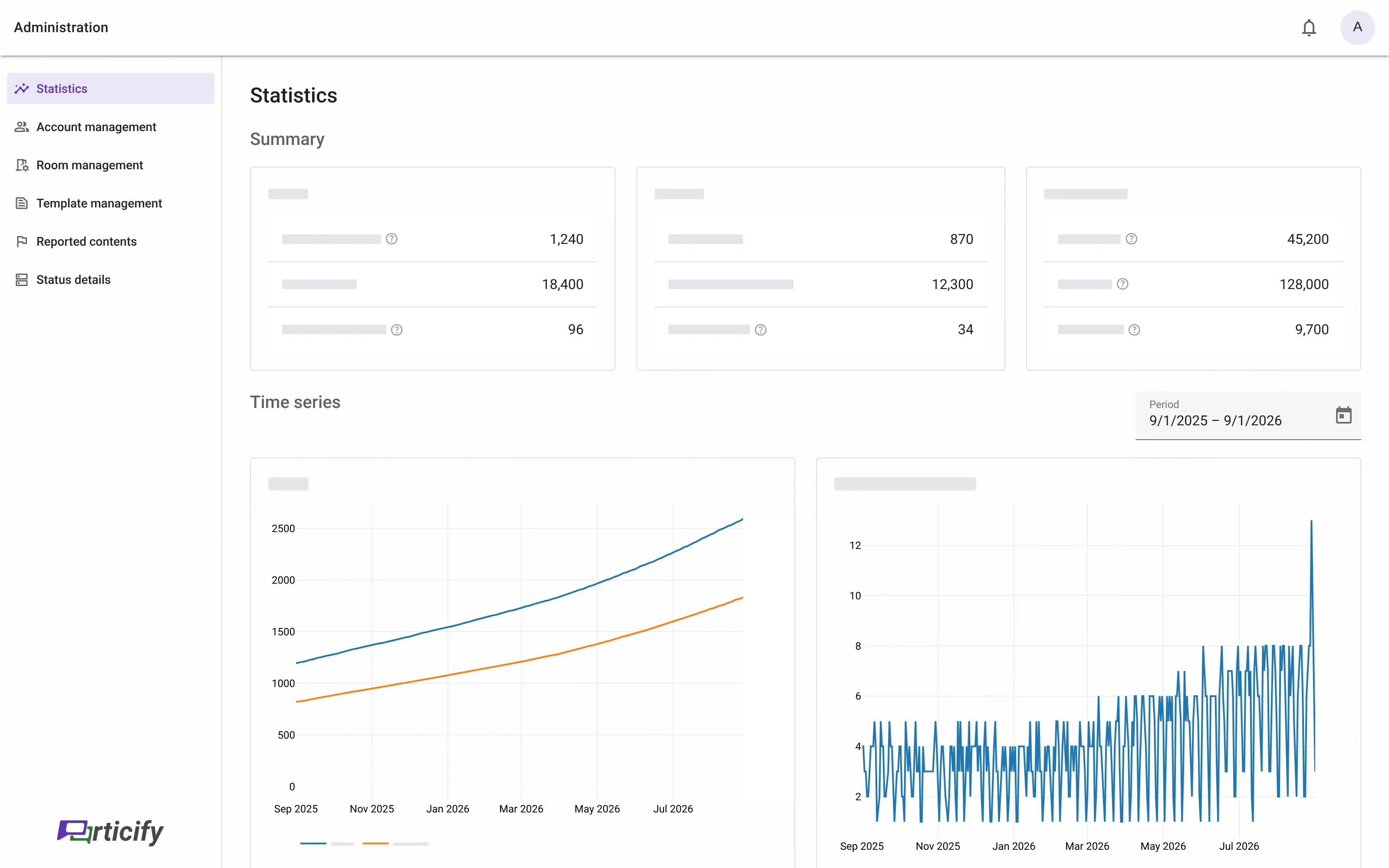
Usage statistics
The summary shows the key figures for your instance.
Time series show how usage develops over a period you choose freely. That makes it possible to trace how usage shifted across a term, for instance. The analysis is aggregate throughout and carries no reference to individual people.
Room and account management
Until now these areas required a username, ID or room number to be typed into the search. The most recent rooms and accounts are now listed straight away, and the search narrows that list down.
An account shows the rooms it manages; a room shows the people managing it.
Further changes
Combinable filters in the Q&A
Several filters can now be applied at once in the Q&A. Posts can be narrowed down by category and status together, for instance, so the right ones surface faster in large courses.Modernisation behind the scenes
A large part of the work in this release is not directly visible. We have modernised central areas of the codebase and cleared out technical debt. That improves stability, speeds up development and lays the groundwork for features to come.
Smaller things
Refinements
To live up to our own standards, we keep improving the interface so that using Particify stays as effortless as possible.Minor bug fixes
With any kind of software, small errors creep in here and there. We are always looking for bugs and unintended behaviour so we can fix them. If we have missed something, do write to us.and much more …